

In Conversation with Phil Lam on ‘Mad World’: AI, Cybersecurity and Humanity
Not long ago, as the host of a Metro Broadcast radio programme, I sat down
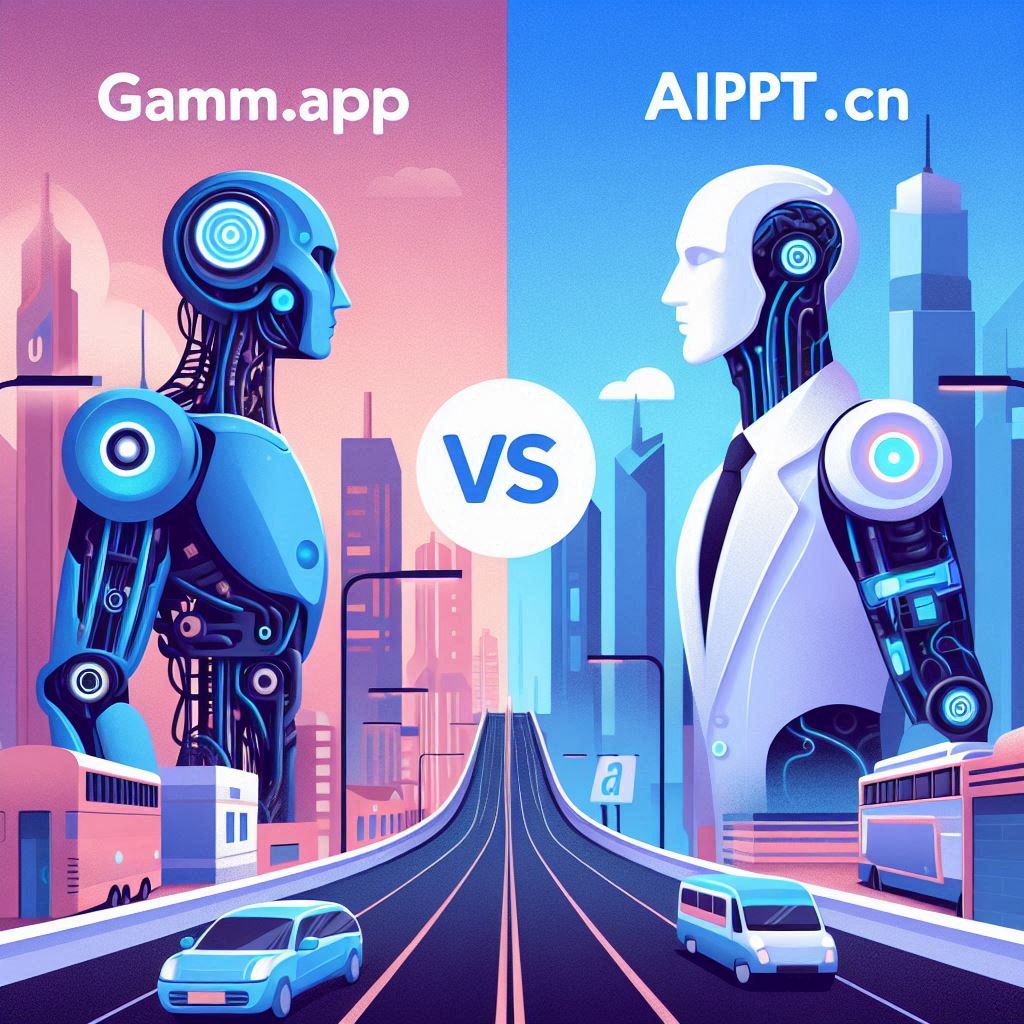
The rise of AI-driven slide creators has given us tools that turn outlines into polished presentations in minutes. Two contenders in this space are Gamma.app and AiPPT.cn (also known simply as AiPPT). Gamma.app is a relatively new web app known for its sleek, design-oriented interface and strong GPT-4 integration, while AiPPT.cn is a Chinese-language service that promises rapid PPT generation via AI. Both aim to simplify slide creation, but they have different strengths, target users, and pricing models. Let’s break down how they compare on AI features, usability, design, export options, and value for money, and identify which might be better for your needs.
Gamma.app: At its core, Gamma is an AI-powered presentation builder. You can input a prompt or outline, and Gamma’s AI (backed by GPT-4) generates complete slide decks. It also offers AI-powered features like automatic text-to-slide conversion and smart design suggestions. For example, the Gamma landing page highlights that it can “generate entire slide decks in seconds” using GPT-4 and other models. Gamma also supports image generation and data visualization through AI, and it can even interpret user feedback (“more bullets, fewer words” style adjustments) on the fly. In short, its AI is geared toward creative storytelling and design enhancement.
AiPPT.cn: AiPPT is marketed as an “AI PowerPoint” maker for Chinese users. It can take Chinese text or bullet points and turn them into slides using a natural-language interface. While official sources are sparse, user reports and the site suggest that AiPPT uses either a Chinese large language model (LLM) or an API like ChatGPT behind the scenes. Its focus is on quickly generating Chinese-language presentations. AiPPT’s AI handles layout and phrasing automatically, offering features like automated slide layout, title suggestions, and diagram creation in Chinese. However, compared to Gamma, AiPPT’s AI features are somewhat more straightforward – it’s mainly about converting text outlines into slides, rather than advanced interactive design tweaking.
Overall, Gamma’s AI is broader and more powerful – leveraging GPT-4 means it can create more natural, diverse content and adapt to creative prompts. AiPPT’s AI shines in its niche (Chinese text processing) but may not offer as many bells and whistles in design creativity or multilingual content.
Gamma.app: Gamma stands out for its polished, user-friendly interface. The design is minimalistic and geared toward ease of use: users start by choosing a template or blank canvas, then interact with an AI chat sidebar. The editor is drag-and-drop, with intuitive controls for styling. Gamma provides high-quality templates and themes that automatically adjust to your content. Reviews note its “vibrant, modern slide templates” that look professionally designed. The UI is in English, which is great for global users. In practice, many users find Gamma easy to learn – you just describe your slide content or point-and-click to modify – and the app handles font choices, colors, and layouts automatically.
AiPPT.cn: By contrast, AiPPT’s interface is entirely in Chinese. For Mandarin speakers, this is straightforward; for others, it’s a barrier. The design quality is serviceable but not as sleek. AiPPT offers a selection of Chinese-themed templates (e.g., corporate, education, startup styles), but they can feel more utilitarian. The editing tools are basic: after AI generates slides, you can click to edit text, but there are fewer advanced styling options than Gamma. The overall usability is simple – many users report AiPPT is easy for basic slide creation – but customization is limited. In summary, if you want beautiful, modern slides and you speak English, Gamma has the edge. If you are Chinese-speaking and need a quick, no-frills slide deck, AiPPT is easy enough but looks more generic.
Both platforms let you export your work, but there are some differences:
In practice, Gamma is stronger on collaboration and linking (useful for remote teams or online publishing), whereas AiPPT’s sharing is straightforward but more siloed.
Understanding pricing is key to “value.”
In summary, Gamma’s pricing reflects a premium AI tool (you get what you pay for: a more powerful engine and design polish), whereas AiPPT is almost free to start with, making it a great budget option (especially in China). Which is “better value” depends on what you need: advanced features or simple, low-cost slides.
Real-world scenarios:
| Feature | Gamma.app (Pros/Cons) | AiPPT.cn (Pros/Cons) |
|---|---|---|
| AI Content | + Advanced (GPT-4); more coherent English text generation – Less optimized for Chinese | + Specialized for Chinese text input – Less creative flexibility |
| Design Quality | + Sleek, modern templates; auto-layouts – Premium look requires paid | + Adequate Chinese templates – Fewer style options |
| Usability | + Intuitive UI (English); collaborative – Might have learning curve for AI features | + Very simple, straightforward for basic use – Minimal advanced tools |
| Export/Sharing | + PPTX/PDF export, shareable link, cloud-based – None significant | + PPTX/PDF export – Lacks shareable links or real-time collaboration |
| Price | + Free tier available – Paid plans needed for full use | + Mostly free usage; low-cost upgrades – Limited added value when paid |
Table: Quick pros/cons comparison (for reference)
Both Gamma.app and AiPPT.cn serve the niche of AI-powered slide creation, but Gamma.app pulls ahead overall for most users and use cases. Gamma’s superior AI engine, rich templates, and polished interface make it a more versatile tool. It handles complex content more gracefully (especially in English), offers better design customization, and supports collaboration and sharing in a way AiPPT currently does not.
That said, AiPPT.cn is an excellent choice if your needs are narrower: chiefly quick, simple presentations in Chinese without paying anything. Its free model and speed give it edge in accessibility, but if you require high design quality or work in a multilingual/team environment, Gamma is the stronger pick.
In summary, Gamma.app is the better all-around AI presentation tool for its robust feature set and polished output, whereas AiPPT.cn shines primarily as a convenient, low-cost option for Chinese-language slides. Choose Gamma for maximum flexibility and style, and AiPPT if you specifically need a very simple, free Chinese PPT maker. In either case, you’ll save time – so it comes down to which features and language support match your needs.
Sources
ChatGPT can make mistakes. Check important info.
The rise of AI-driven slide creators has given us tools that turn outlines into polished presentations in minutes. Two contenders in this space are Gamma.app and AiPPT.cn (also known simply as AiPPT). Gamma.app is a relatively new web app known for its sleek, design-oriented interface and strong GPT-4 integration, while AiPPT.cn is a Chinese-language service that promises rapid PPT generation via AI. Both aim to simplify slide creation, but they have different strengths, target users, and pricing models. Let’s break down how they compare on AI features, usability, design, export options, and value for money, and identify which might be better for your needs.
Gamma.app: At its core, Gamma is an AI-powered presentation builder. You can input a prompt or outline, and Gamma’s AI (backed by GPT-4) generates complete slide decks. It also offers AI-powered features like automatic text-to-slide conversion and smart design suggestions. For example, the Gamma landing page highlights that it can “generate entire slide decks in seconds” using GPT-4 and other models. Gamma also supports image generation and data visualization through AI, and it can even interpret user feedback (“more bullets, fewer words” style adjustments) on the fly. In short, its AI is geared toward creative storytelling and design enhancement.
AiPPT.cn: AiPPT is marketed as an “AI PowerPoint” maker for Chinese users. It can take Chinese text or bullet points and turn them into slides using a natural-language interface. While official sources are sparse, user reports and the site suggest that AiPPT uses either a Chinese large language model (LLM) or an API like ChatGPT behind the scenes. Its focus is on quickly generating Chinese-language presentations. AiPPT’s AI handles layout and phrasing automatically, offering features like automated slide layout, title suggestions, and diagram creation in Chinese. However, compared to Gamma, AiPPT’s AI features are somewhat more straightforward – it’s mainly about converting text outlines into slides, rather than advanced interactive design tweaking.
Overall, Gamma’s AI is broader and more powerful – leveraging GPT-4 means it can create more natural, diverse content and adapt to creative prompts. AiPPT’s AI shines in its niche (Chinese text processing) but may not offer as many bells and whistles in design creativity or multilingual content.
Gamma.app: Gamma stands out for its polished, user-friendly interface. The design is minimalistic and geared toward ease of use: users start by choosing a template or blank canvas, then interact with an AI chat sidebar. The editor is drag-and-drop, with intuitive controls for styling. Gamma provides high-quality templates and themes that automatically adjust to your content. Reviews note its “vibrant, modern slide templates” that look professionally designed. The UI is in English, which is great for global users. In practice, many users find Gamma easy to learn – you just describe your slide content or point-and-click to modify – and the app handles font choices, colors, and layouts automatically.
AiPPT.cn: By contrast, AiPPT’s interface is entirely in Chinese. For Mandarin speakers, this is straightforward; for others, it’s a barrier. The design quality is serviceable but not as sleek. AiPPT offers a selection of Chinese-themed templates (e.g., corporate, education, startup styles), but they can feel more utilitarian. The editing tools are basic: after AI generates slides, you can click to edit text, but there are fewer advanced styling options than Gamma. The overall usability is simple – many users report AiPPT is easy for basic slide creation – but customization is limited. In summary, if you want beautiful, modern slides and you speak English, Gamma has the edge. If you are Chinese-speaking and need a quick, no-frills slide deck, AiPPT is easy enough but looks more generic.
Both platforms let you export your work, but there are some differences:
In practice, Gamma is stronger on collaboration and linking (useful for remote teams or online publishing), whereas AiPPT’s sharing is straightforward but more siloed.
Understanding pricing is key to “value.”
In summary, Gamma’s pricing reflects a premium AI tool (you get what you pay for: a more powerful engine and design polish), whereas AiPPT is almost free to start with, making it a great budget option (especially in China). Which is “better value” depends on what you need: advanced features or simple, low-cost slides.
Real-world scenarios:
| Feature | Gamma.app (Pros/Cons) | AiPPT.cn (Pros/Cons) |
|---|---|---|
| AI Content | + Advanced (GPT-4); more coherent English text generation – Less optimized for Chinese | + Specialized for Chinese text input – Less creative flexibility |
| Design Quality | + Sleek, modern templates; auto-layouts – Premium look requires paid | + Adequate Chinese templates – Fewer style options |
| Usability | + Intuitive UI (English); collaborative – Might have learning curve for AI features | + Very simple, straightforward for basic use – Minimal advanced tools |
| Export/Sharing | + PPTX/PDF export, shareable link, cloud-based – None significant | + PPTX/PDF export – Lacks shareable links or real-time collaboration |
| Price | + Free tier available – Paid plans needed for full use | + Mostly free usage; low-cost upgrades – Limited added value when paid |
Table: Quick pros/cons comparison (for reference)
Both Gamma.app and AiPPT.cn serve the niche of AI-powered slide creation, but Gamma.app pulls ahead overall for most users and use cases. Gamma’s superior AI engine, rich templates, and polished interface make it a more versatile tool. It handles complex content more gracefully (especially in English), offers better design customization, and supports collaboration and sharing in a way AiPPT currently does not.
That said, AiPPT.cn is an excellent choice if your needs are narrower: chiefly quick, simple presentations in Chinese without paying anything. Its free model and speed give it edge in accessibility, but if you require high design quality or work in a multilingual/team environment, Gamma is the stronger pick.
In summary, Gamma.app is the better all-around AI presentation tool for its robust feature set and polished output, whereas AiPPT.cn shines primarily as a convenient, low-cost option for Chinese-language slides. Choose Gamma for maximum flexibility and style, and AiPPT if you specifically need a very simple, free Chinese PPT maker. In either case, you’ll save time – so it comes down to which features and language support match your needs.
Not long ago, as the host of a Metro Broadcast radio programme, I sat down

The reaction made me reflect: what people care about most is not how powerful AI

By Michael C.S. So │ AiX Society While researching for a sharing session with university
HKOEA Consultancy
Licence No. 59684
© 2026 Artificial Intellegence Application Research Society. All rights reserved
by Originals Group – Hong Kong, Malaysia, GBA