
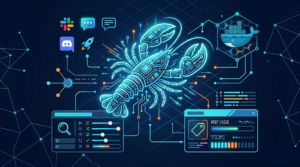
OpenClaw 2026.3.7: context plugins + durable bindings
OpenClaw 2026.3.7 adds context-engine plugins, durable channel bindings, and web-search onboarding improvements—plus a gateway auth

One of OpenClaw’s defining features is its ability to act as a single AI assistant across multiple messaging platforms simultaneously. Whether you use WhatsApp for personal tasks, Slack for work, and Telegram for your team — one OpenClaw agent can handle them all through a unified Gateway.
The OpenClaw Gateway sits between your chat channels and the AI model. When a message arrives from any connected platform, the Gateway routes it to the correct session and agent. Responses are sent back through the same channel where the request originated.
Start with one channel during setup. Telegram is the easiest to begin with:
More tips in our OpenClaw User Tips series.
OpenClaw 2026.3.7 adds context-engine plugins, durable channel bindings, and web-search onboarding improvements—plus a gateway auth

OpenClaw 2026.3.2 adds a first-class PDF tool, safer onboarding defaults, and major security hardening for

AI researcher Sasha Luccioni argues that the way we’re building and deploying AI is fundamentally
HKOEA Consultancy
Licence No. 59684
© 2025 Artificial Intellegence Application Research Society. All rights reserved
by Originals Group – Hong Kong, Malaysia, GBA