

Jensen Huang Calls OpenClaw the Most Important Software Release Ever
NVIDIA CEO Jensen Huang declared OpenClaw the most important software release ever, as the project

Memory management is one of the most overlooked aspects of running OpenClaw effectively. Without proper configuration, your agent can lose important context, slow down, or burn through tokens unnecessarily. Here’s how to keep it sharp.
OpenClaw stores memory as local Markdown documents in your configuration directory. This includes conversation history, user preferences, learned facts, and task context. The agent reads these files to maintain continuity across sessions.
The challenge: as conversations grow longer, the context window fills up, increasing latency and cost. That’s where compaction comes in.
Compaction summarizes older conversation history to free up context space while preserving key decisions and facts. Make sure both compaction and memory flush are enabled in your configuration:
conversation:
  max_context_messages: 30
context_cleanup_interval: 3600One of the best practices from the OpenClaw community is running a nightly memory flush via cron job. Before compaction or context reset, the agent captures key decisions, owners, next steps, and deadlines — then reloads them after the reset:
openclaw cron add \
  --name "Nightly memory flush" \
  --cron "0 23 * * *" \
  --tz "Asia/Hong_Kong" \
  --session isolated \
--message "Flush today's key decisions, pending tasks, and important context to memory files before overnight compaction."Good memory management means your agent feels smarter over time instead of starting fresh every session. Invest 10 minutes configuring it now, and you’ll save hours of repeated instructions later.
Read the full series at AiX Society OpenClaw News.
NVIDIA CEO Jensen Huang declared OpenClaw the most important software release ever, as the project
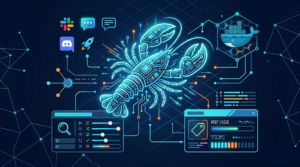
OpenClaw 2026.3.7 adds context-engine plugins, durable channel bindings, and web-search onboarding improvements—plus a gateway auth
OpenClaw 2026.3.2 adds a first-class PDF tool, safer onboarding defaults, and major security hardening for
HKOEA Consultancy
Licence No. 59684
© 2025 Artificial Intellegence Application Research Society. All rights reserved
by Originals Group – Hong Kong, Malaysia, GBA