

HKPC Speech: 40% Cost Reduction, 10x Market Growth — The Practical Logic of Expanding AI into Malaysia
HKPC speech by Michael So on expanding AI into Malaysia — covering 40% cost reduction,

# Getting Started The Getting Started guide is designed for users who are new to WuKong. It is recommended to read in the following order: download and installation, registration and login, using entry points, and general settings. Then, be sure to review privacy and security, competitor comparison, and the plan descriptions. ## Quick Start {{< cards >}} {{< card link=”install-and-launch” title=”Download and Install” subtitle=”Complete client download, installation, and basic launch” icon=”document-duplicate” >}} {{< card link=”register-and-login” title=”Register and Login” subtitle=”Log in with your DingTalk account and complete your first entry” icon=”user-circle” >}} {{< card link=”entry-points” title=”Entry Points” subtitle=”Learn about main usage entry points such as the desktop client and DingTalk” icon=”template” >}} {{< card link=”general-settings” title=”General Settings” subtitle=”Configure basic options, accounts, and common preferences” icon=”adjustments” >}} {{< card link=”privacy-and-security” title=”Privacy and Security” subtitle=”Review data permissions, security capabilities, and compliance information” icon=”shield-check” >}} {{< card link=”competitor-comparison” title=”Competitor Comparison” subtitle=”Compare WuKong with similar products on core differences” icon=”scale” >}} {{< card link=”pricing-and-plans” title=”Pricing and Plans” subtitle=”Review free benefits, membership options, and purchase instructions” icon=”credit-card” >}} {{< /cards >}}
HKPC speech by Michael So on expanding AI into Malaysia — covering 40% cost reduction,
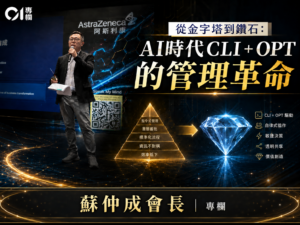
By Michael So I recently held a lunch-and-learn session at the office centered on two
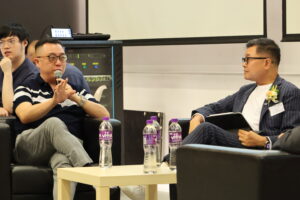
Last Tuesday (June 23), I had the privilege of serving as a panelist at Saint
HKOEA Consultancy
Licence No. 59684
© 2026 Artificial Intellegence Application Research Society. All rights reserved
by Originals Group – Hong Kong, Malaysia, GBA