

The Rise of OPC Hubs: What Is Truly New When They Are Just Business Centres?
By Michael C.S. So | AiX Society My first reaction was, quite bluntly: What exactly

DingTalk agents are revolutionizing the way teams collaborate by serving as intelligent advisors within group conversations. These AI-powered assistants can provide real-time insights, answer questions, and streamline communication workflows directly in your team’s chat environment.
Benefits of Using DingTalk Agents in Group Chats
Setting Up Your DingTalk Agent as an Advisor
Step 1: Access the DingTalk Development Platform
Log into the DingTalk Developer Console and navigate to the application management section.
Step 2: Create a New Agent
Click on “Create Application” and select “Custom Robot” or “AI Agent” depending on your needs.
Step 3: Configure Agent Permissions
Ensure your agent has the necessary permissions to read group messages and send responses. This typically includes:
Step 4: Define Agent Capabilities
Set up the agent’s knowledge base, response templates, and integration with your internal systems or databases.
Step 5: Add Agent to Group Chats
Invite the agent to relevant group conversations by using the “Add Member” function and searching for your agent by name.
Step 6: Configure Trigger Words
Set up specific keywords or phrases that will activate the agent, such as @mentions or specific commands.
Key Use Cases
Best Practices
Conclusion
DingTalk agents represent a powerful tool for enhancing group communication and collaboration. By serving as intelligent advisors within chat conversations, they can significantly improve team efficiency, ensure consistent information delivery, and provide valuable support across various business functions. With proper setup and ongoing optimization, DingTalk agents can become invaluable members of your team’s communication ecosystem.
By Michael C.S. So | AiX Society My first reaction was, quite bluntly: What exactly
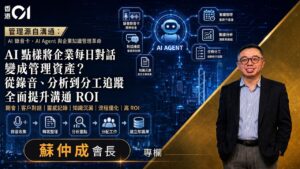
By Michael C.S. So | AiX Society Just how much information does a company generate
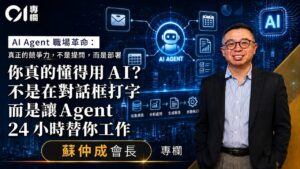
Recently, I have been recruiting, and what I am looking for is not just someone
HKOEA Consultancy
Licence No. 59684
© 2026 Artificial Intellegence Application Research Society. All rights reserved
by Originals Group – Hong Kong, Malaysia, GBA